Path through this site: Home Order note
Order note builder and return clock
Two small tools for the two moments that cost first orders the most: asking for photos, and meeting the return deadline.
Write the photo request
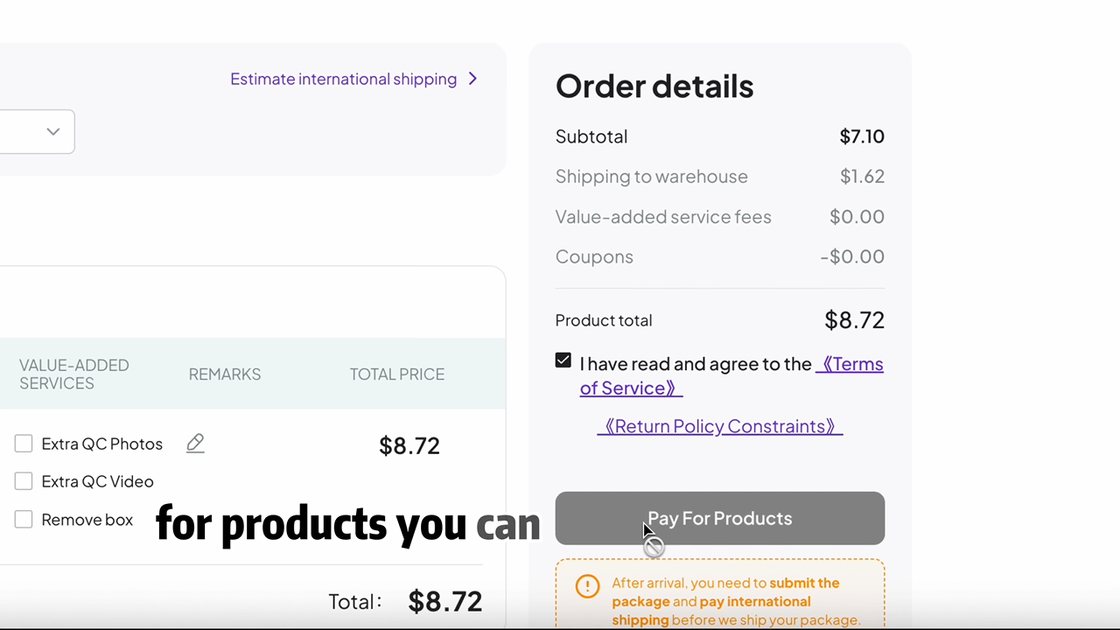
Pick from the sixteen finds on this site. The tool adds the seller prices we read on October 24, 2026 and joins each find's photo requests into one numbered note. Paste it into the remark beside Extra QC Photos when you order. Prices exclude freight, Pikobuy's fees and any value-added services.
Keep each line tied to the actual option. For the crowned pendant, specify whether you ordered the large letter, small letters, or both; the headline ¥14 is not the large pendant’s price. Edit the copied request to include those letters and ask whether a chain is included. The tool’s merchandise sum does not price the requested photo service; confirm that charge separately. See the cost breakdown.
Find your return deadline
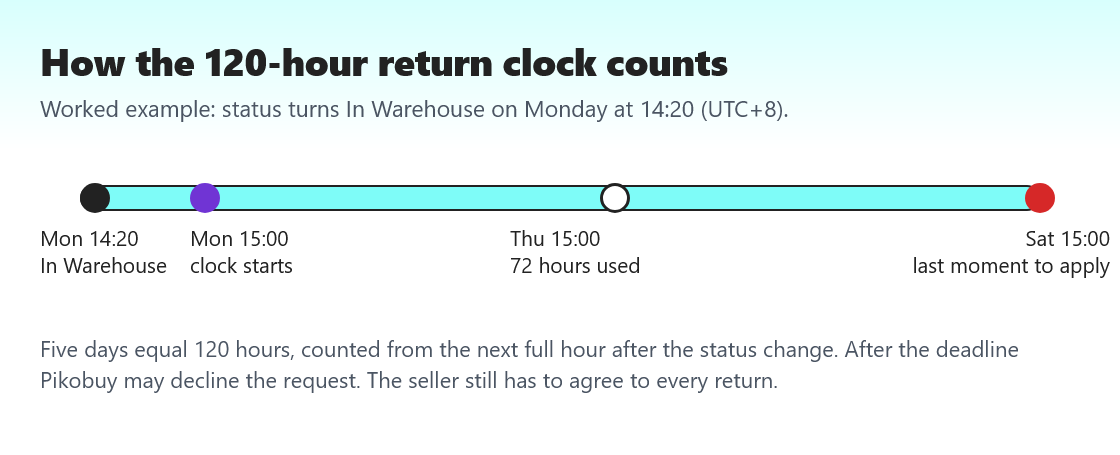
Pikobuy's returns page sets the window at five days after the order status changes to In Warehouse, counted from the next hour after the change, and states that five days equal 120 hours. Enter the time shown on your order and the tool rounds up to the next full hour and adds 120 hours. It works in Beijing time throughout, so the answer matches what Pikobuy's system sees.
Getting a better photo set from the note
Here is how to use the tool so the warehouse sends what you need. Use the note builder before you pay, not after. A request added at order time travels with the item; one sent after check-in depends on whether the warehouse can photograph it again. Edit the note freely: the textarea is a starting point, and fewer, clearer lines get better photos than a long list.
For the clock, read the In Warehouse time from the order line, not from an email, and remember that every item has its own time. If one item turned In Warehouse at 23:40, the clock starts at midnight. If you enter a time that is already on the hour, the tool still moves to the next hour, which is how we read the official wording; when in doubt, act a few hours early.
Clock example: an In Warehouse time of October 26 at 10:15 Beijing time starts this tool’s count at 11:00; adding 120 hours gives October 31 at 11:00. This illustrates the calculation only. A deadline result does not confirm seller acceptance, item eligibility or that your request was submitted. Keep the account’s acknowledgement of a return request.
Nothing you type leaves your browser. The tool runs on this page only and stores nothing.